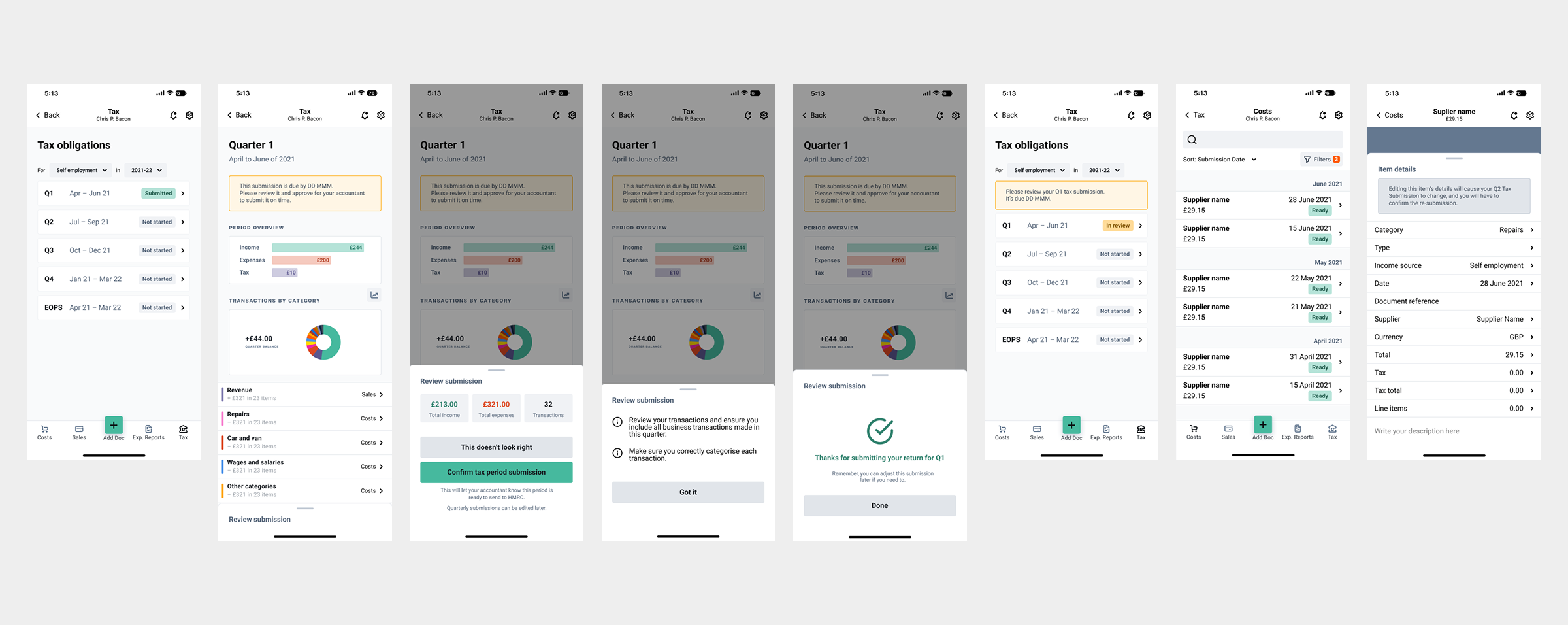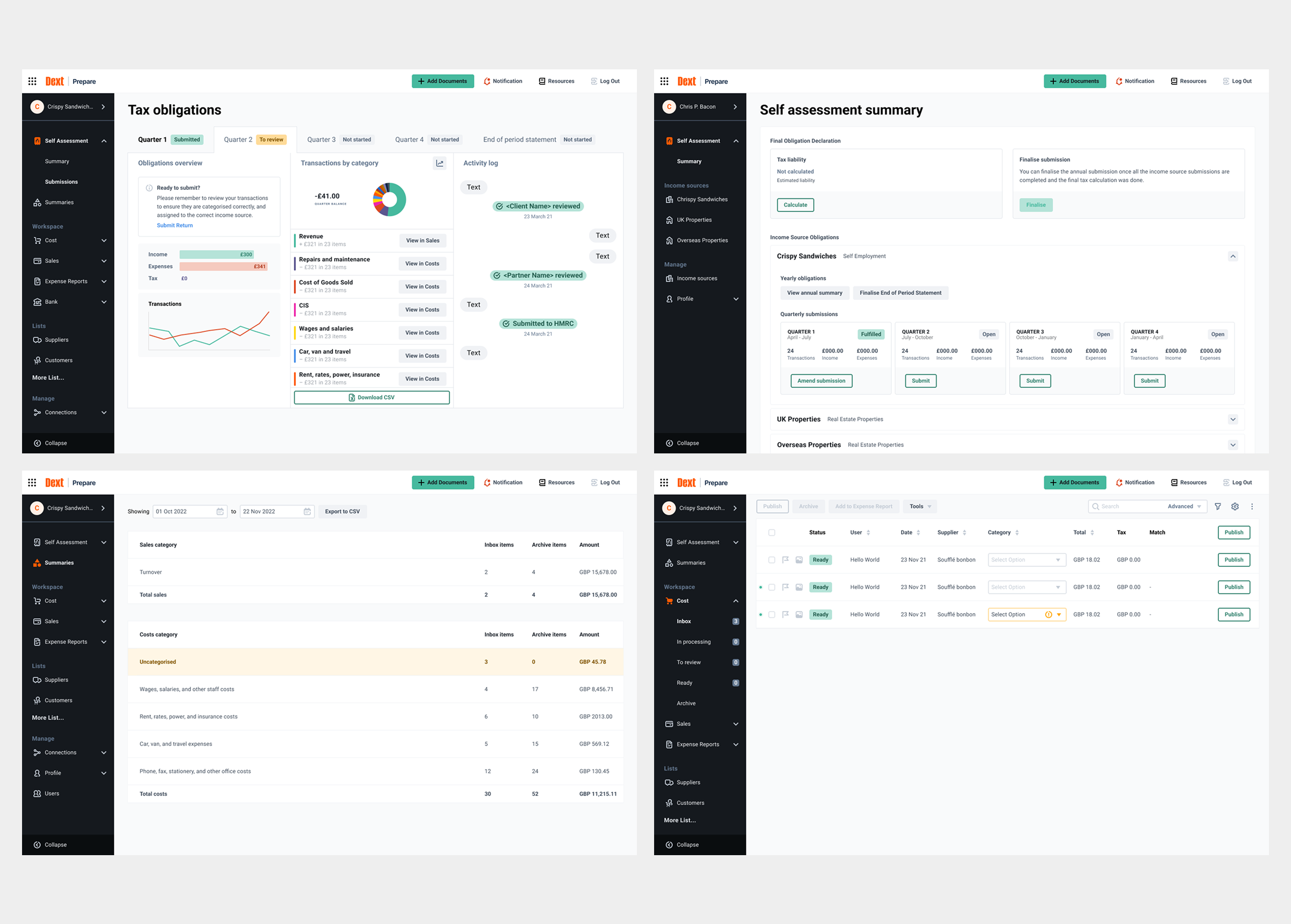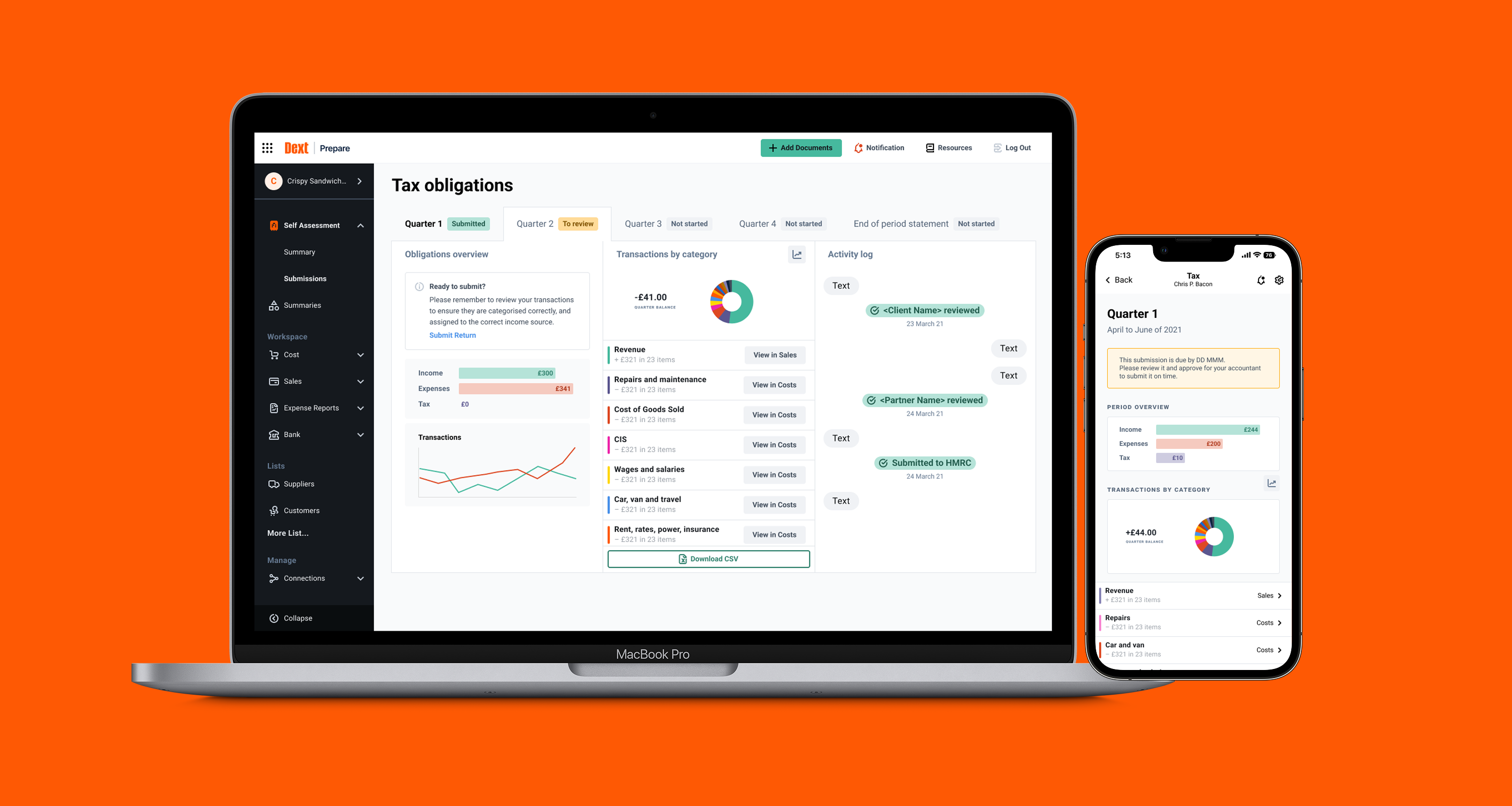
Making Tax Digital for Income Tax (MTD IT) meant that sole traders and landlords would now have to keep digital records and submit quarterly updates to HMRC using compliant software. Dext saw this as an opportunity to expand their already successful set of accounting and end-client tools to include something fresh and bespoke for this new market.
The project had many legal requirements and complex needs from both accountants and their end clients. With a structured discovery process and rigorous design iteration, the product achieved high adoption among Dext’s accountants.
I joined as the lead UX just after the project was started. I worked closely with the product and the UXR team, as well as managing a junior UX. Activities included:
700k
Businesses globally
12k +
Accounting/Bookkeeping firms
320m +
Documents processed annually
Having no previous knowledge of the initiative, my first task was to gain a thorough understanding of MTD IT. HMRC produced a mountain of documentation, which meant a huge amount of reading! As Dext were early adopters of MTD IT, and HMRC were still prone to updating (changing) the requirements, it was a case of consistently keeping updated.
The key components of MTD IT were:
This was going to have a significant impact on the accountant and the accountant's self-assessment clients.
Dext had a small UXR team, and we were lucky to have a dedicated researcher for the initial stages of the project.
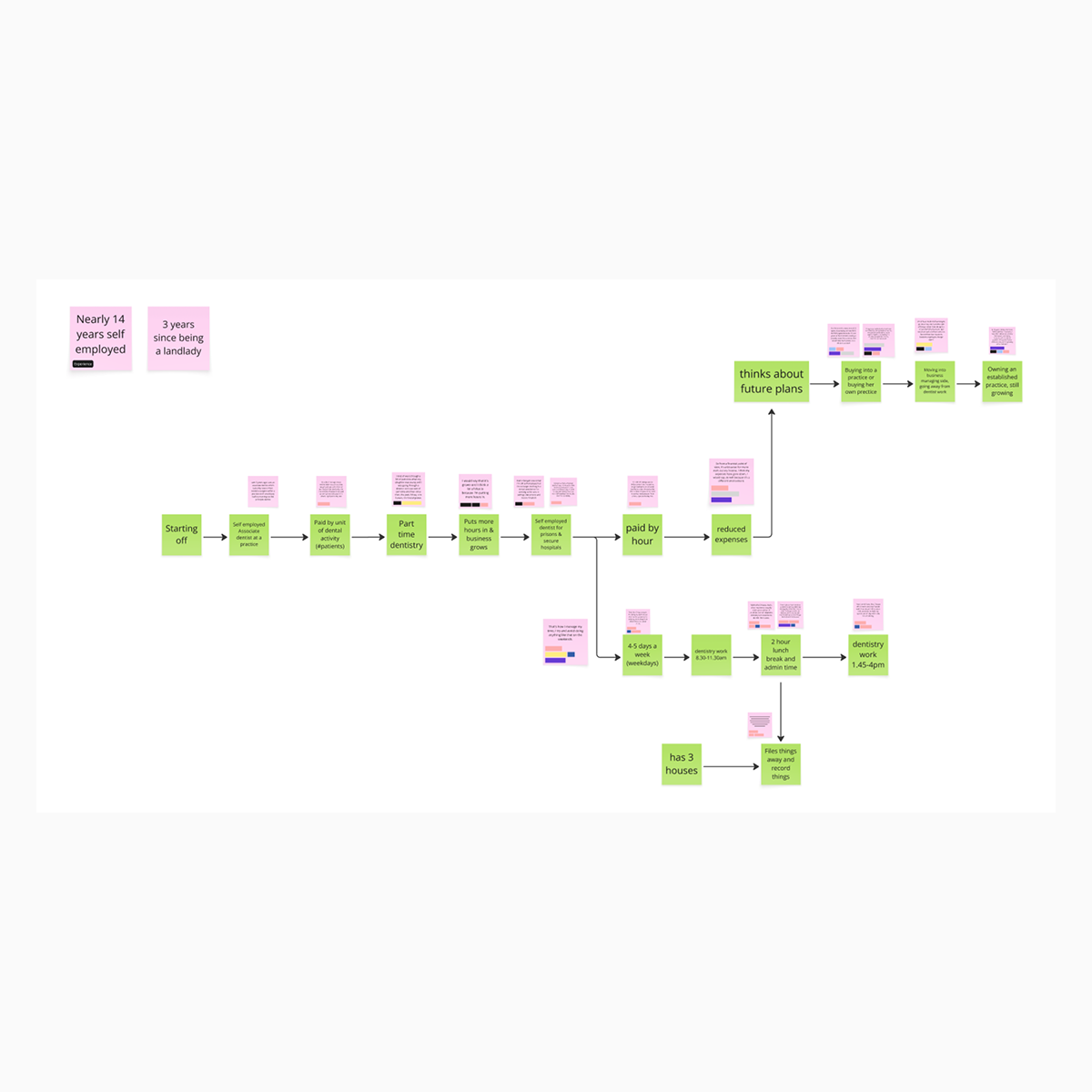
Firstly, we spoke to 9 SA clients across various businesses and self-employment ventures. Some of the key things we wanted to discover were the user's current accounting processes, how much support they received from their accountant, whether they understood the implications of MTD IT on their business, and how things might change for them after MTD IT. From these interviews, we grouped and themed the responses into helpful insights. We also built flows of their core work processes.
We also spoke with our accounting clients about what would help them and what they'd like to see in the software. This was a much lighter touch, though and not as thorough as the above.
Many apps in the self-assessment tax space were developing products for MTD IT. Two of the most prominent, Xero and Coconut, were releasing frequent blog posts and updates.
Signing up to receive their latest news gave me excellent insight into how they were solving the MTD IT problems and what product features they were developing and testing.

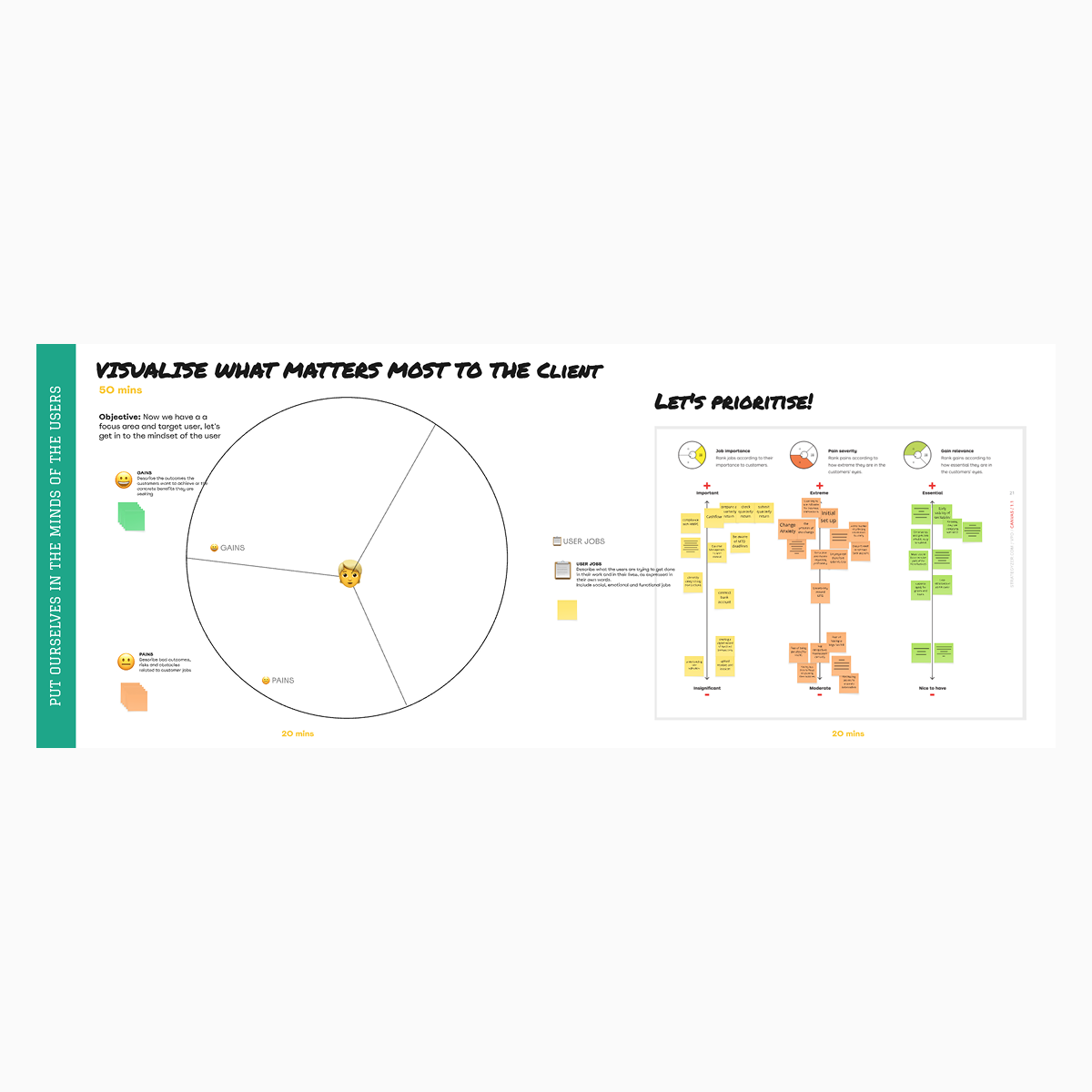
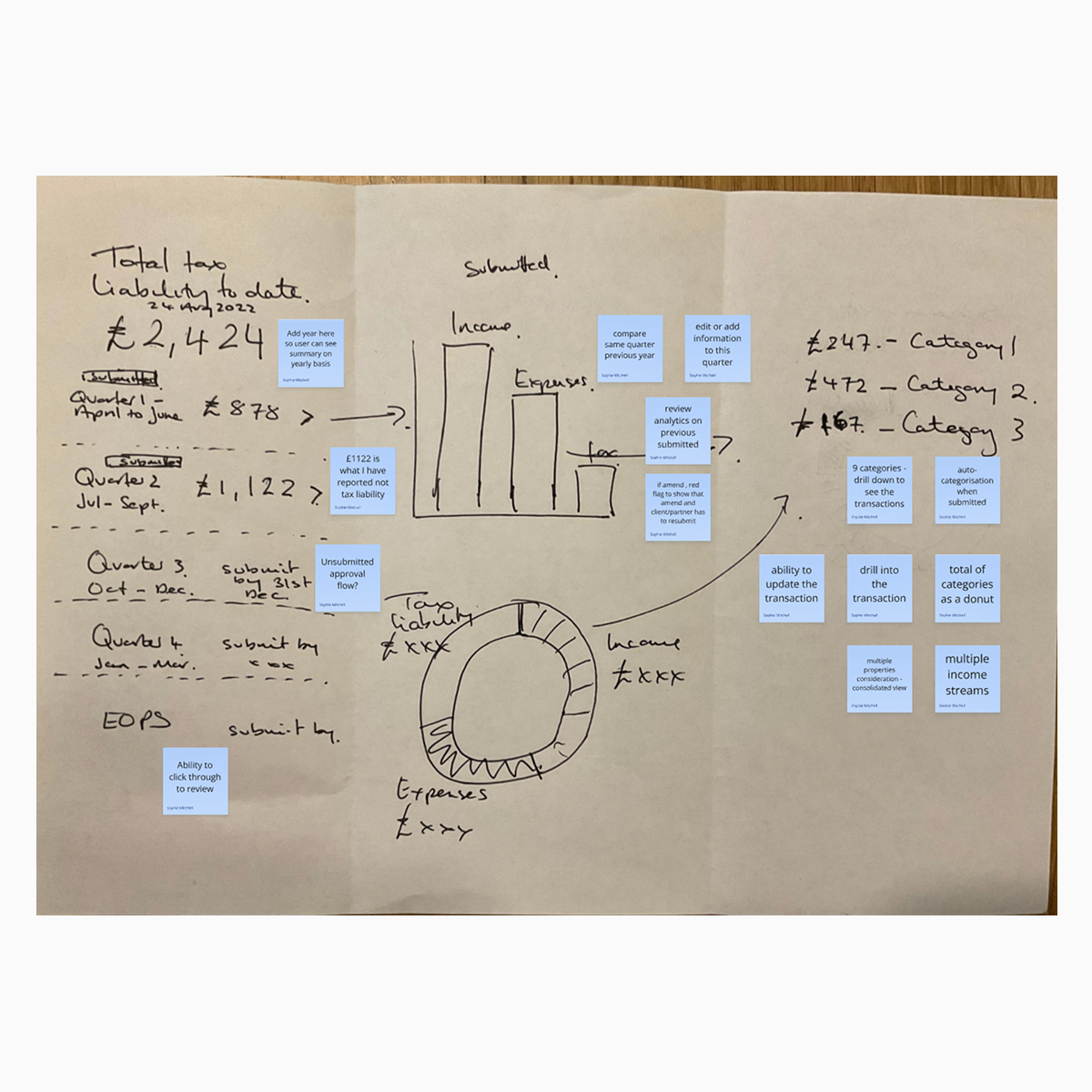
To help explore and elicit design ideas, I ran two 2-day stakeholder workshops. Both workshops had a mixture of UX, UI, product, engineering, domain experts and accountants.
The participants were asked to produce high-level process flows for the end client and the accountant, and then sketch possible UI solutions. The output was invaluable, and elements from these workshops made their way into the final designs.
Having a single source of truth for requirements, captured in a spreadsheet, enabled me to work quickly when generating ideas and producing concepts for testing. The requirements were drawn from the HMRC documentation, our research with clients and accountants and the workshops.
At the beginning of March 2023, HMRC announced a delay to MTD IT. Mandatory participation was moved from April 2024 to April 2026, citing challenges companies faced during the pandemic and the need for more time to test the system. This was disastrous for Coconut, which was quickly sold off.
Using this to our advantage, we split the project into 2 workstreams, continuing with the North Star vision for what the product would be in 2026 while also developing a ‘lite’ version of the product.
The new streamlined version also helped to solve a business problem. Accountants had been adding small clients to their unlimited plans, but with a new pricing model (per client) due to be introduced, there would be a culling. If we could get the lite version out quickly, they could be moved to that.
I tested frequently with end clients, utilising the unmoderated testing option on usertesting.com. Chunking the concepts into flows allowed me to quickly test and iterate on the key tasks end clients would need to perform in the product: onboarding, connecting to HMRC, adding and categorising costs, quarterly submissions, and more.
I went back to our accounting partners from our research phase to test tasks they would need to complete: adding clients, reviewing client costs, checking quarterly submissions, etc. These were online but moderated by myself.
Accountants predominantly perform their tasks on desktop; therefore, we built all setup functionality into their view of the web app. They were able to move current clients across to MTD IT or simply select MTD IT when adding new clients. After adding the client's details, including income sources, the accountant invites the client to start using the app. The final setup task for the accountant is to connect the client to the HMRC so the quarterly updates and final statement can be submitted digitally.
Clients' bank data could be imported into the app either automatically by connecting to their bank account or manually by uploading bank statements. Accountants have smart matching functionality that automatically matches transactions to invoices or receipts, access to bulk categorisation and the ability to split transactions.
Utilising Dext’s best-in-class data capture functionality, we designed multiple ways to get cost documents into the app: taking a picture in the mobile app, uploading via drag and drop, or sending them directly to Dext’s extraction tool via email or WhatsApp. Clients could use the mobile app's functionality to capture and categorise their costs.
Clients can record or upload income in their sales space. Invoices can be uploaded via the web and mobile apps, or emailed directly to Dext’s extraction tool. The web app supports manual creation of sales records.
The mileage-claim functionality allows clients to log business-related trips. The app will calculate the per-mile value based on your route and engine size.
The app allows landlords to report their property ownership details. Multiple rental properties can be added, along with the ownership percentages, to ensure the correct figures for the SA105 report. We also worked on extracting rental statements.